From idea to launch, one panel.
Code with AI agents, preview on every device, publish to your own servers, ship apps to the stores and watch your revenue. All in Uzcraft.
Made by Uzmoon · early access open
New
The Uzcraft room and more
Fresh from the latest releases: agents that work like a team, an agent builder where you design your own astronaut, a new project layout and tracking of your subscription limits.
Everything in one place
Every tool a team needs
Instead of ten separate subscriptions: building, shipping, mobile stores, servers, team and revenue in one panel, connected to each other.
Build
From idea to working code, without leaving the browser.
Ship
To your own servers, on your own domains.
Mobile and stores
Everything for Google Play and the App Store in the panel.
Run and monitor
Servers, sites and mail on one screen.
Team and tasks
People and agents on the same work.
Revenue and growth
Downloads and earnings of your apps together.
From the panel
Real screens
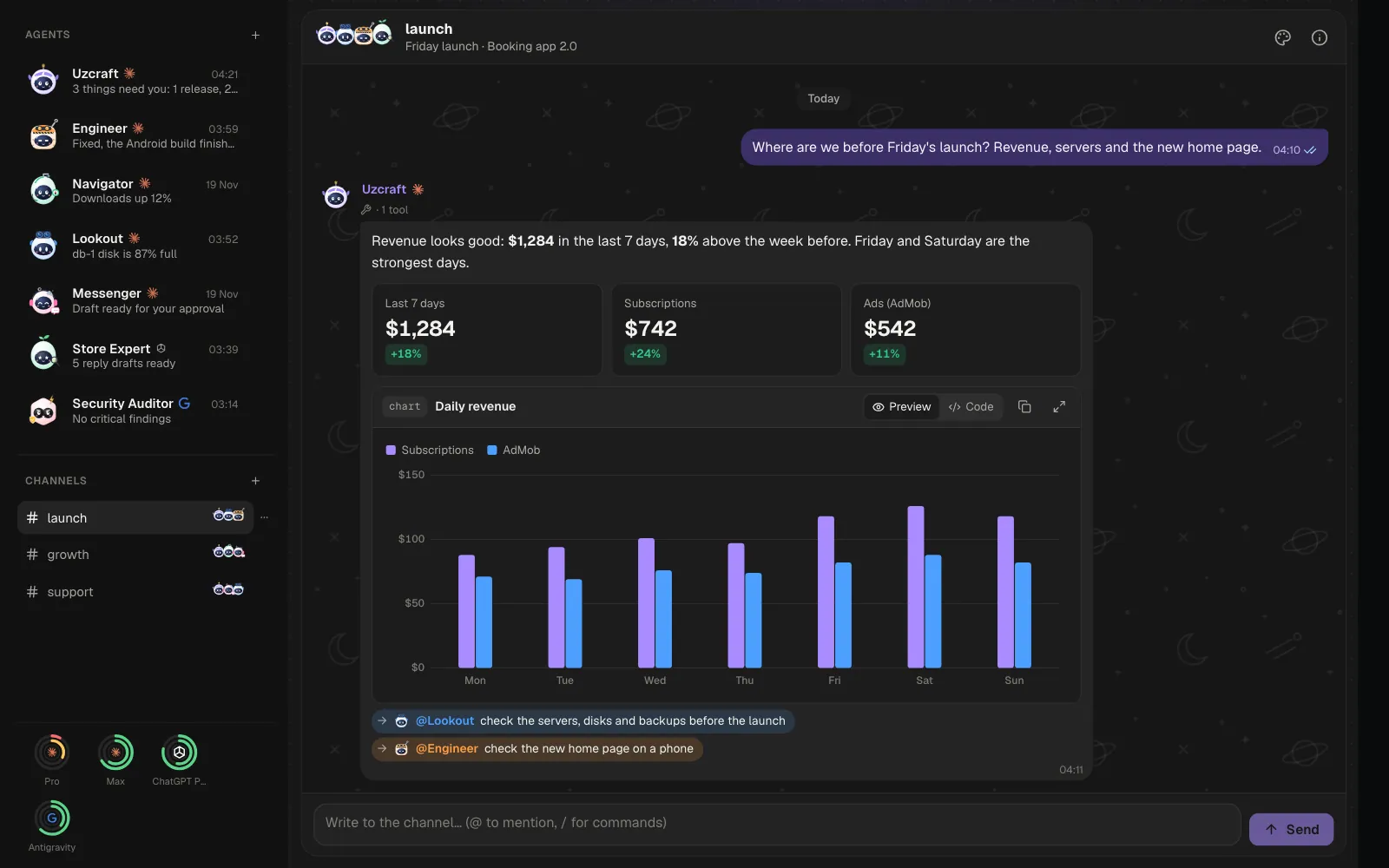
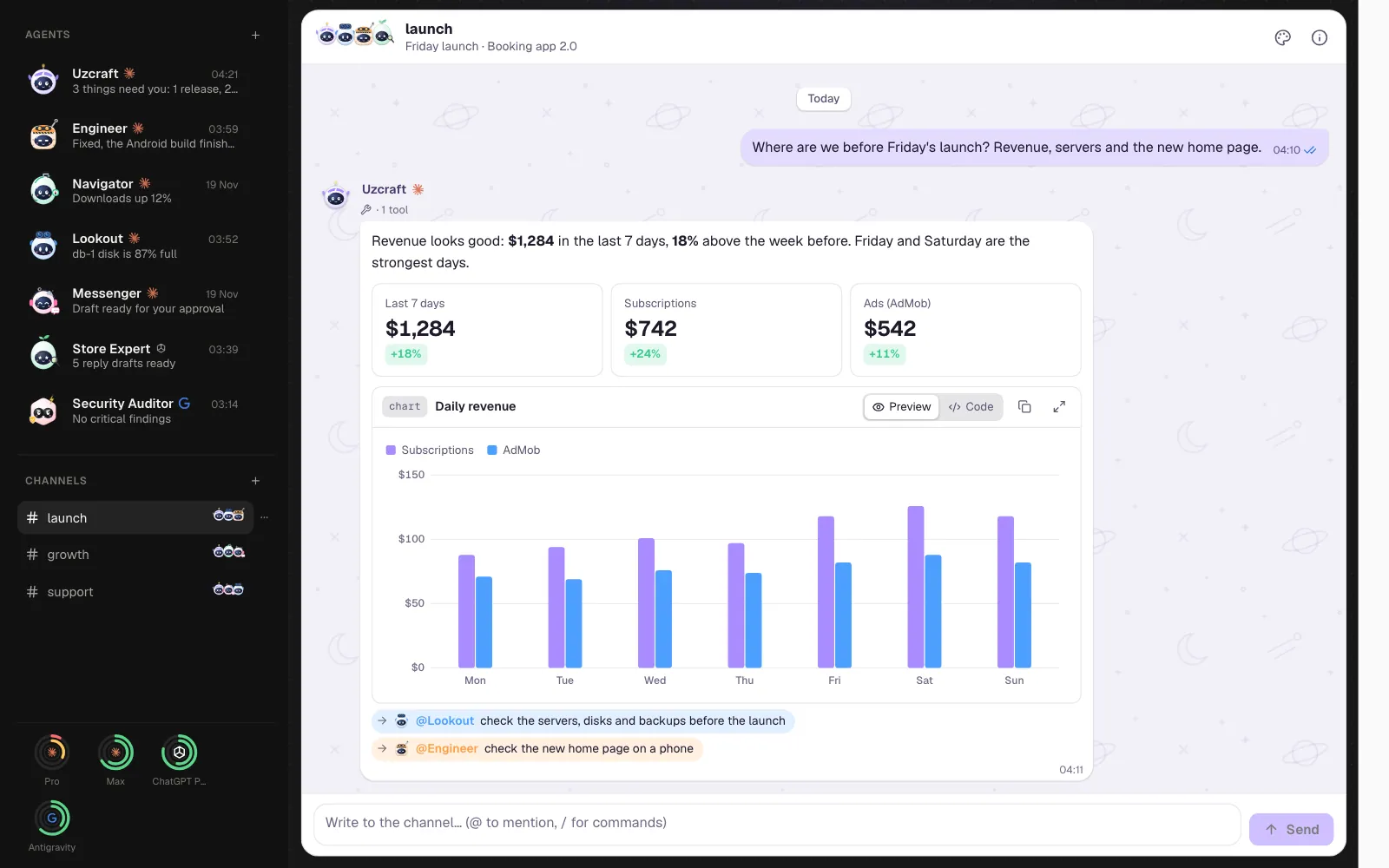
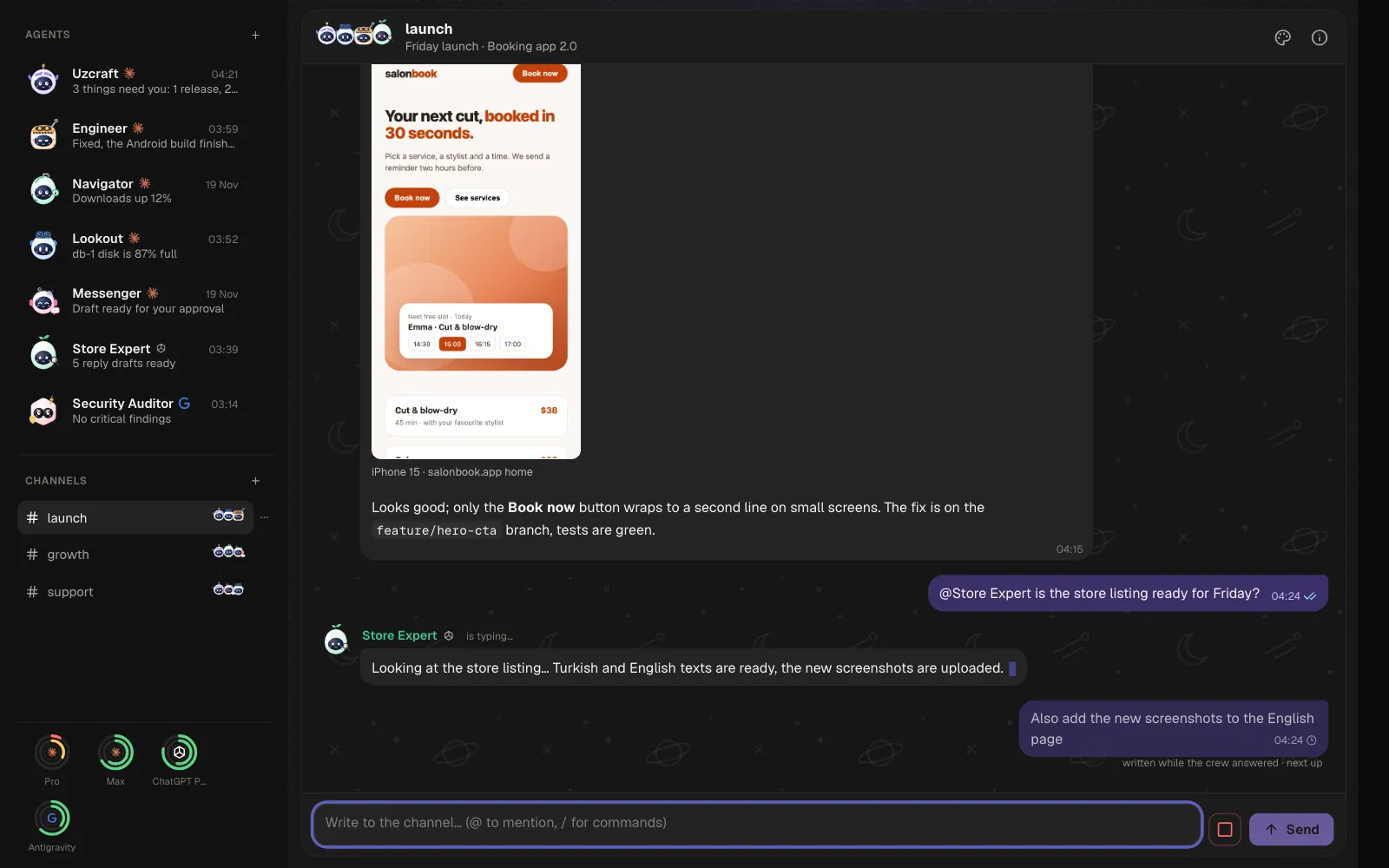
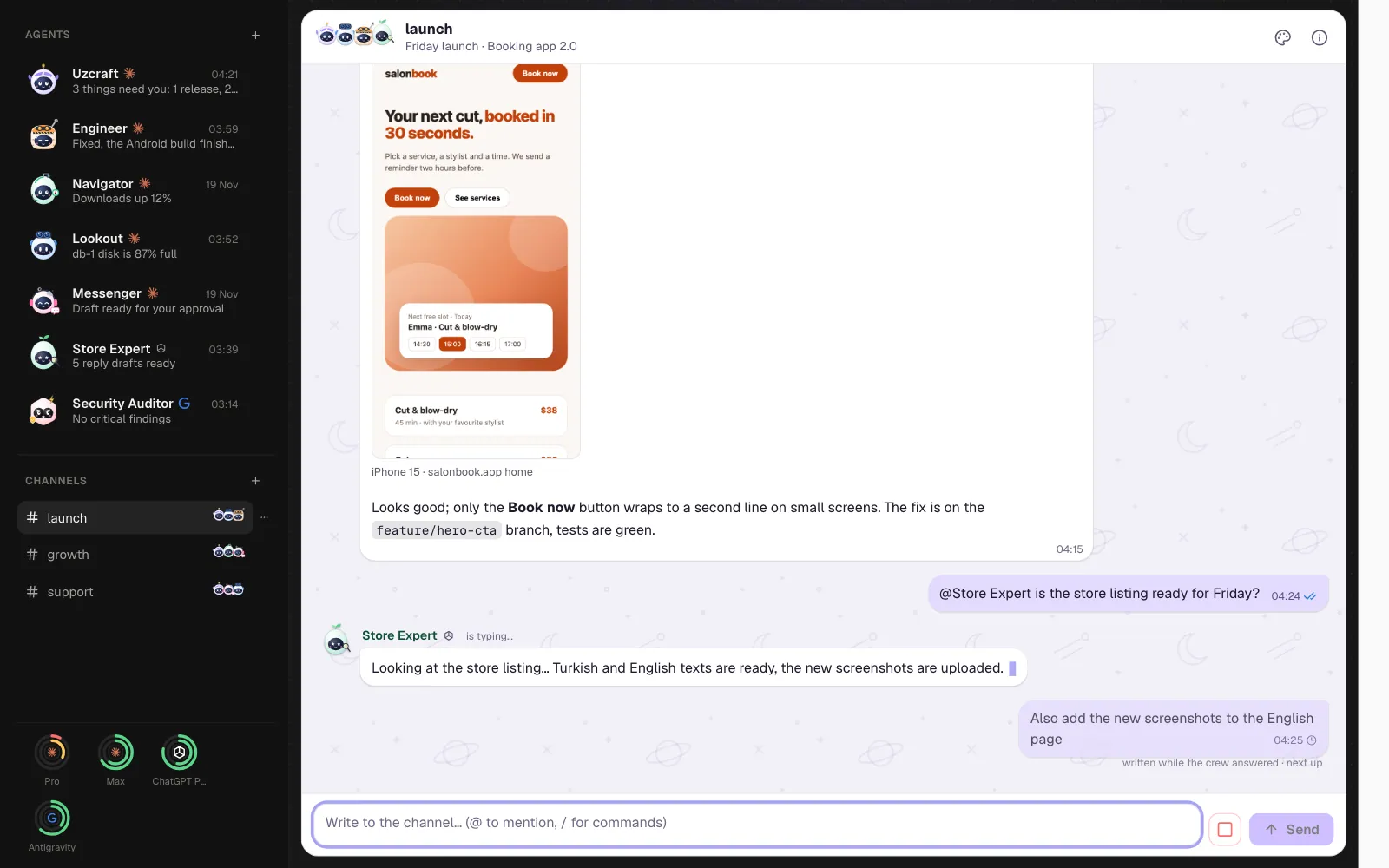
Your crew in one channel: the lead answers and hands parts over with @mentions; tables and charts right in the chat.
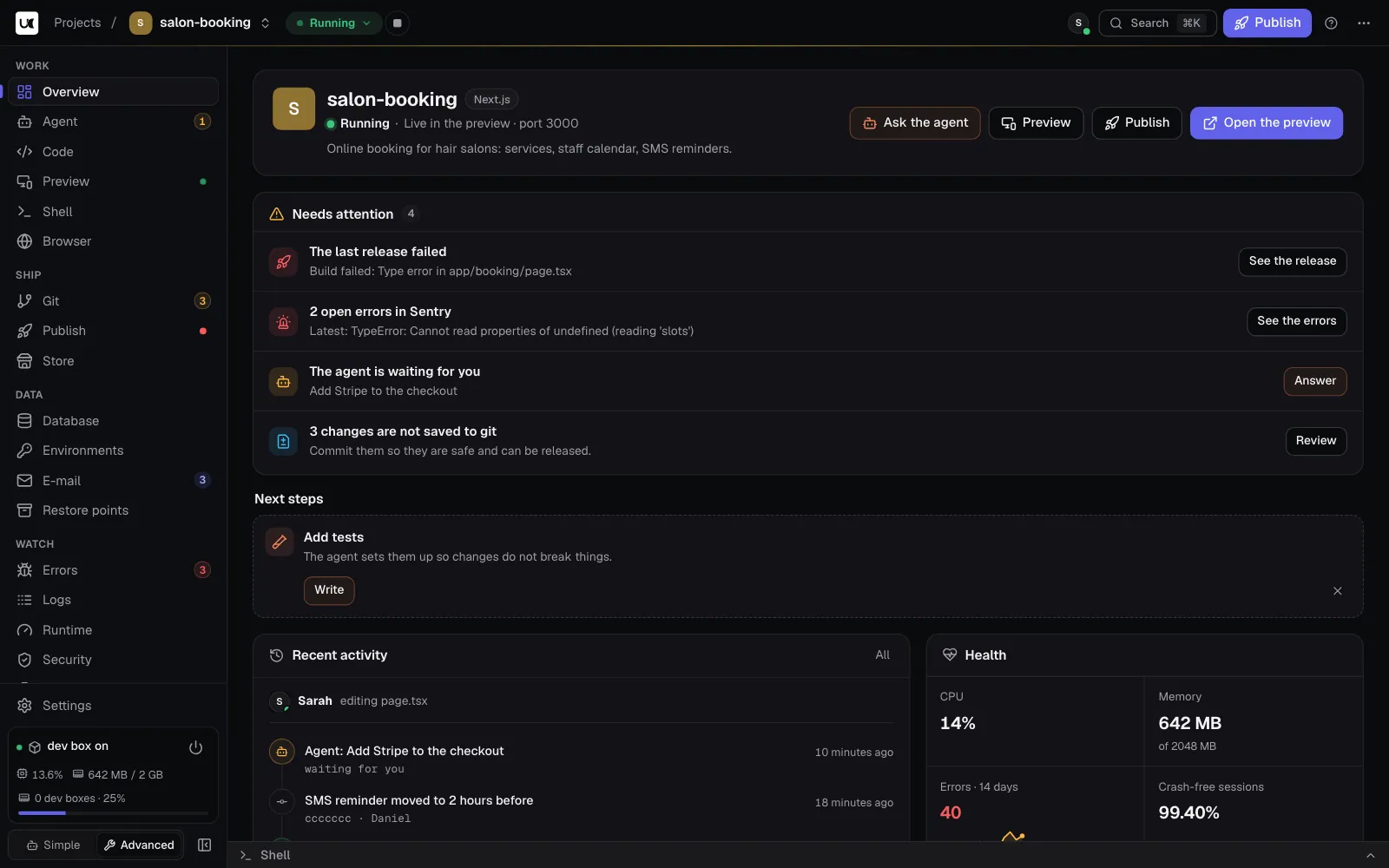
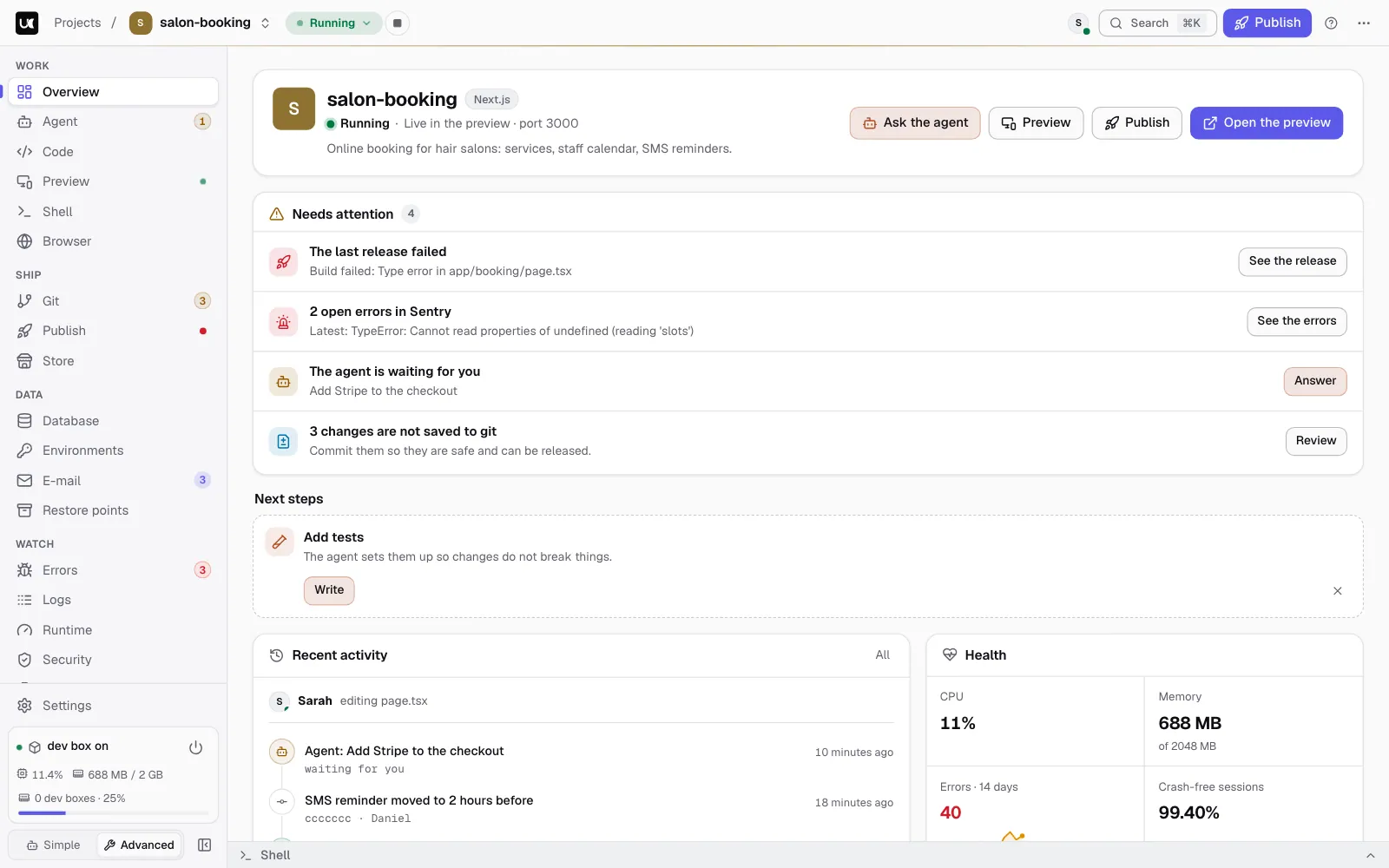
One top bar and a grouped sidebar; live badges and Needs attention rows tell you what to look at first.
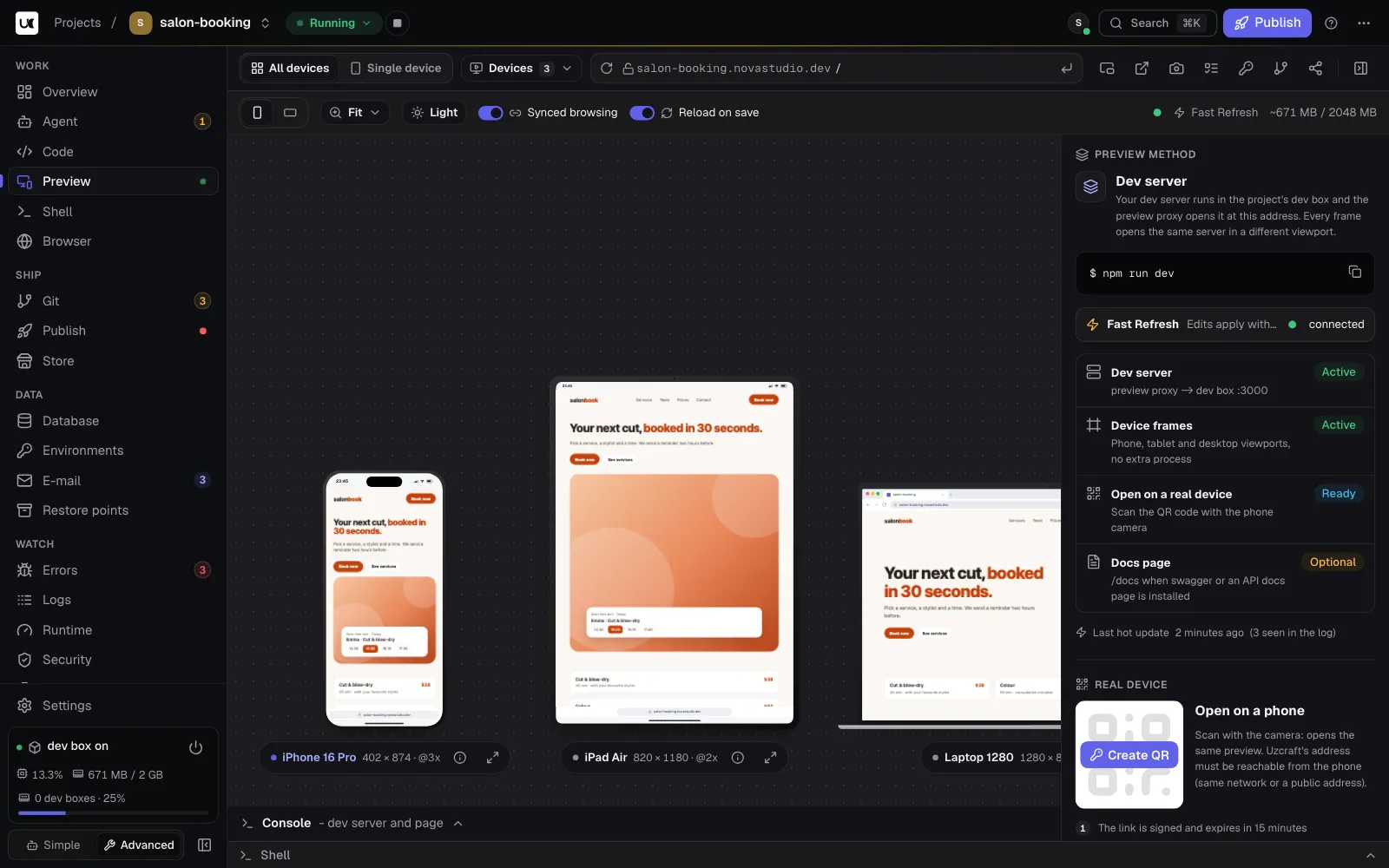
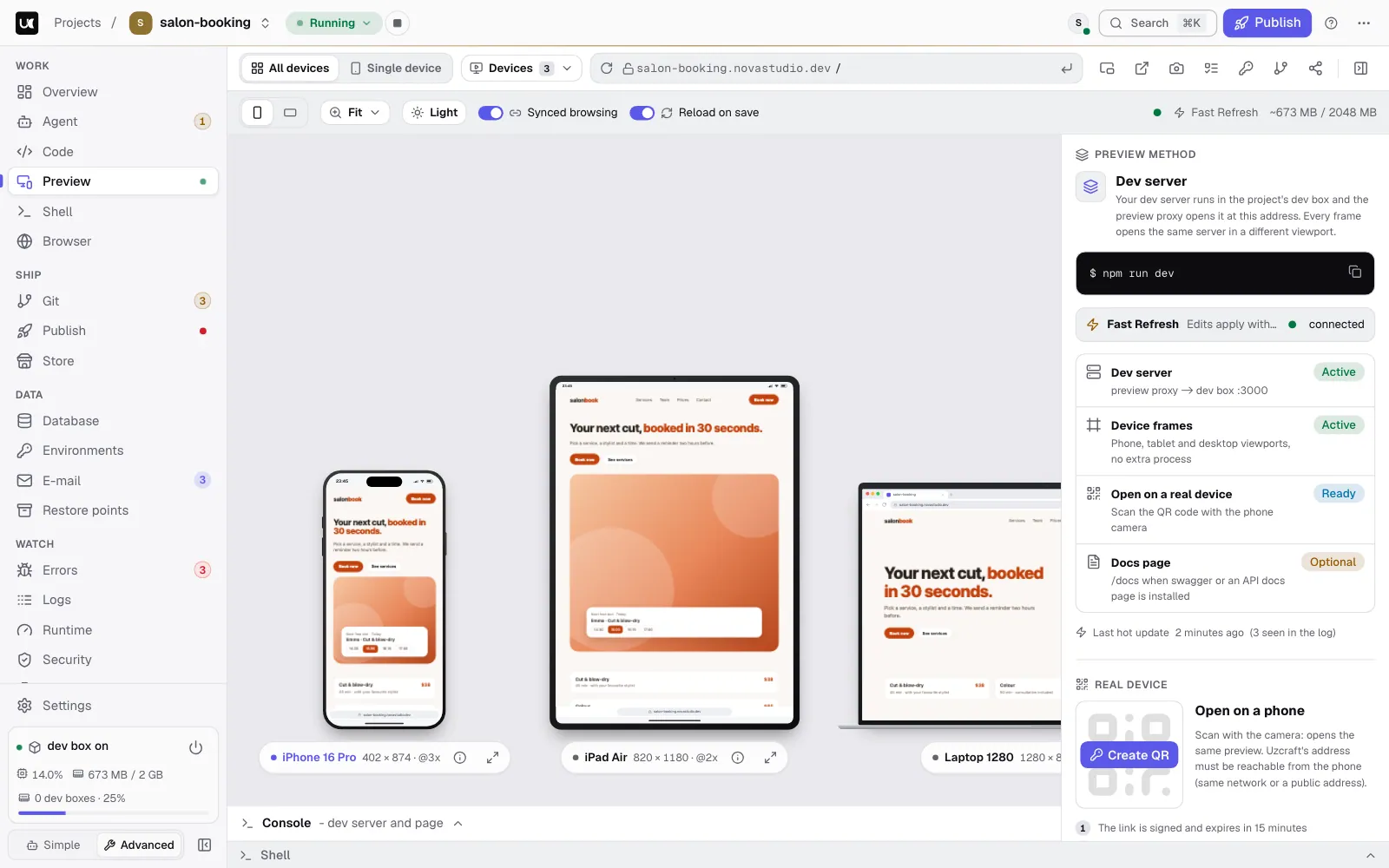
Your app in phone, tablet and desktop frames at once; it reloads when you save.
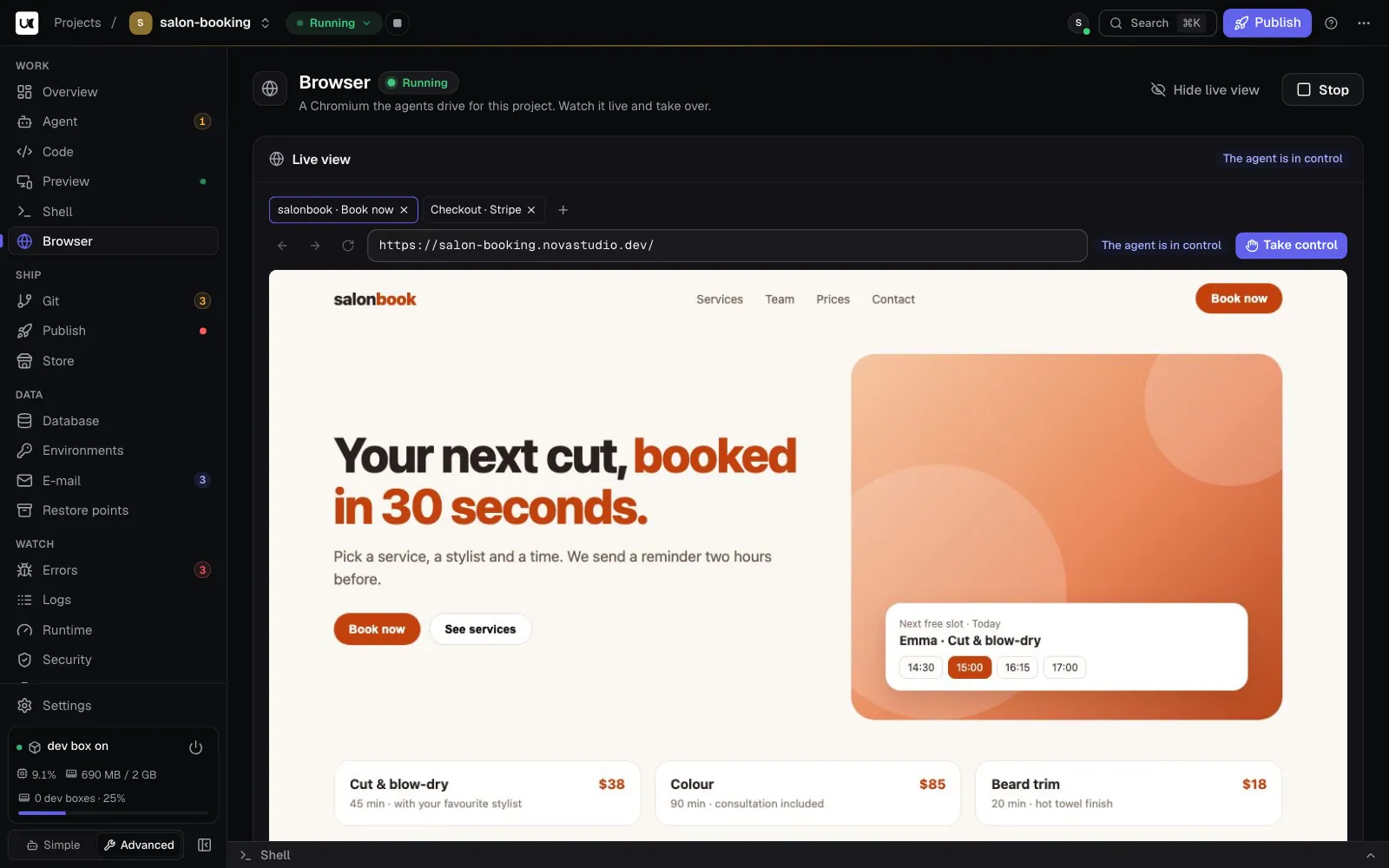
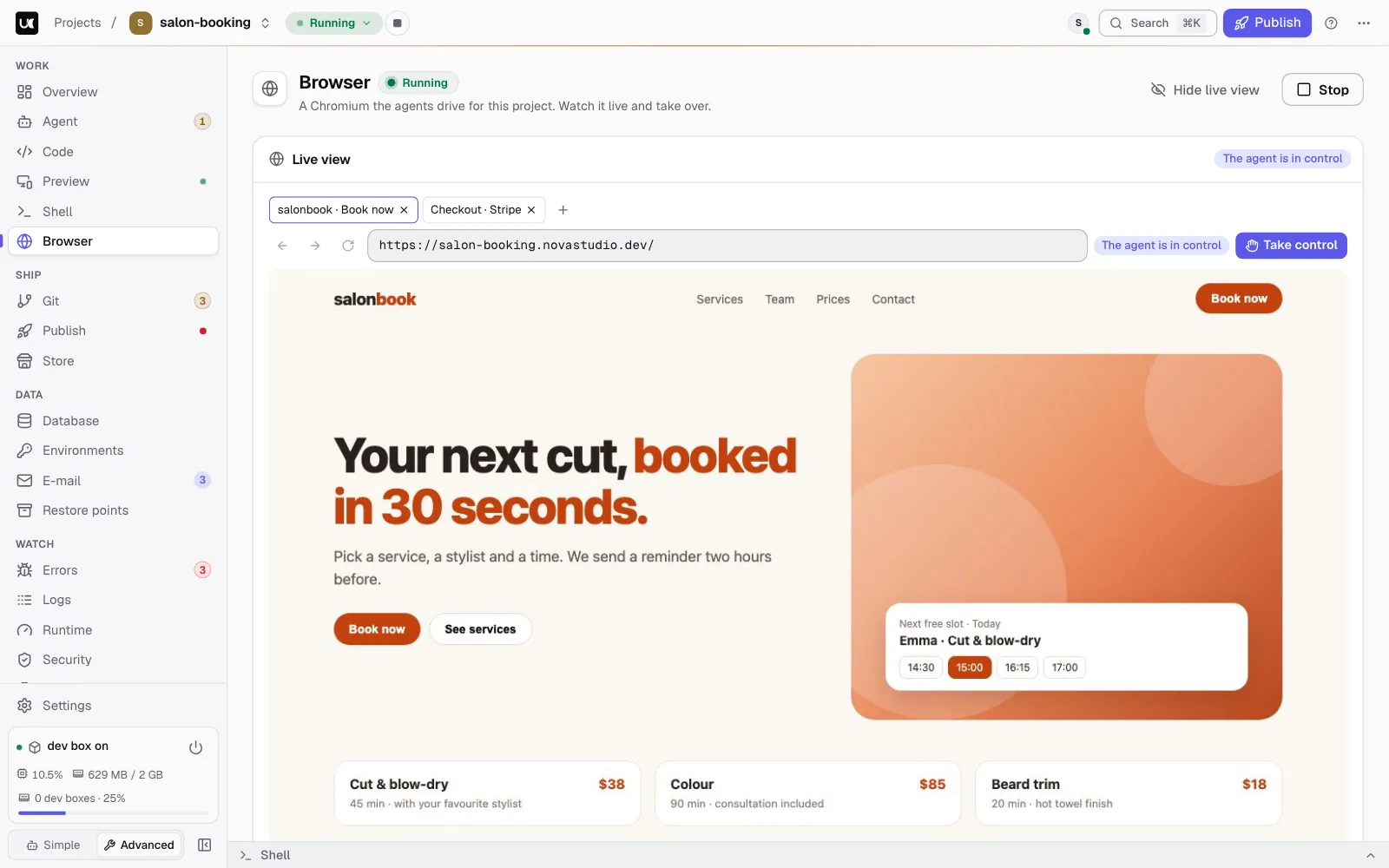
Watch the browser your agents drive, live; take over whenever you want.
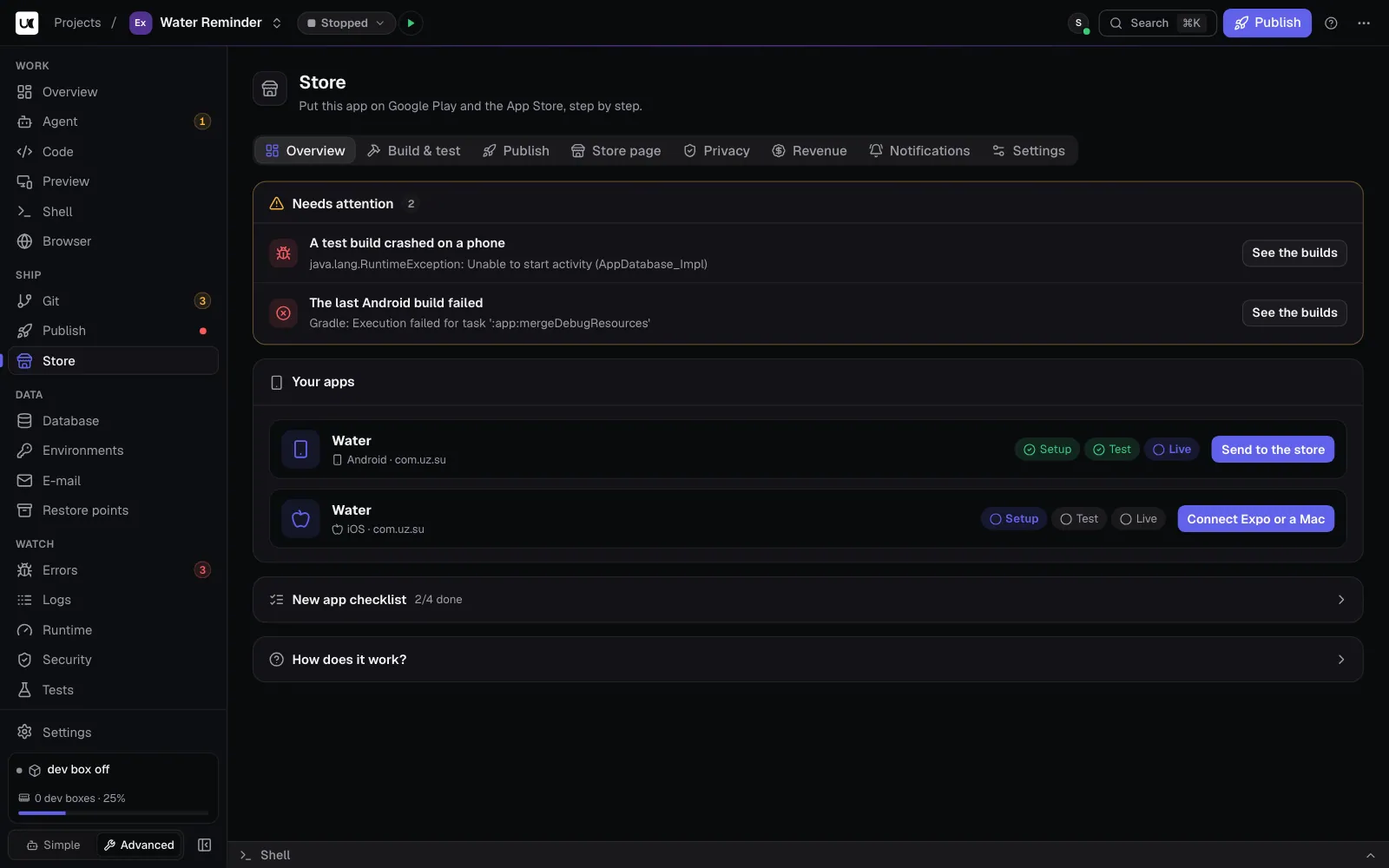
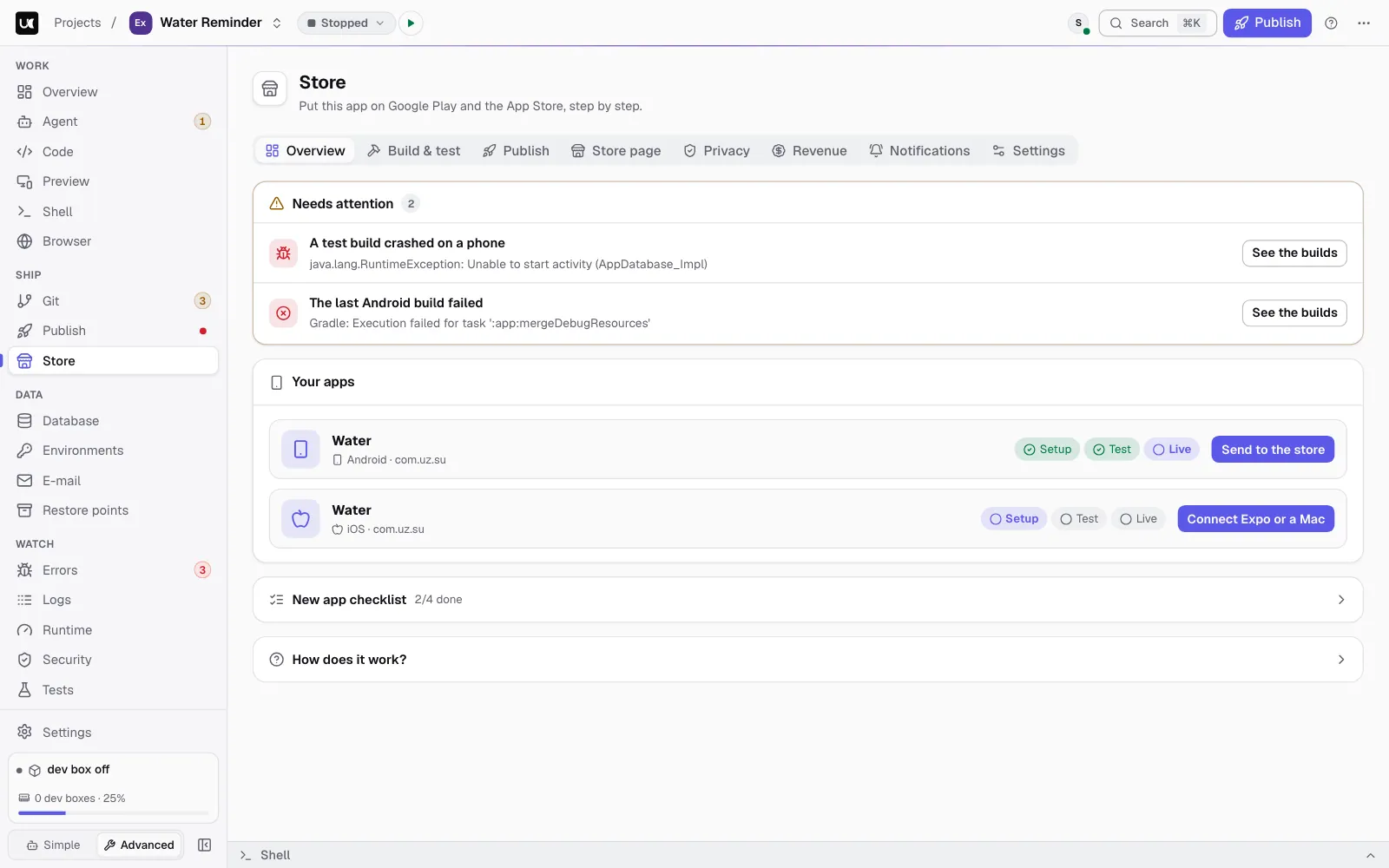
Prepare → Test → Live for each platform; the panel shows the next step.
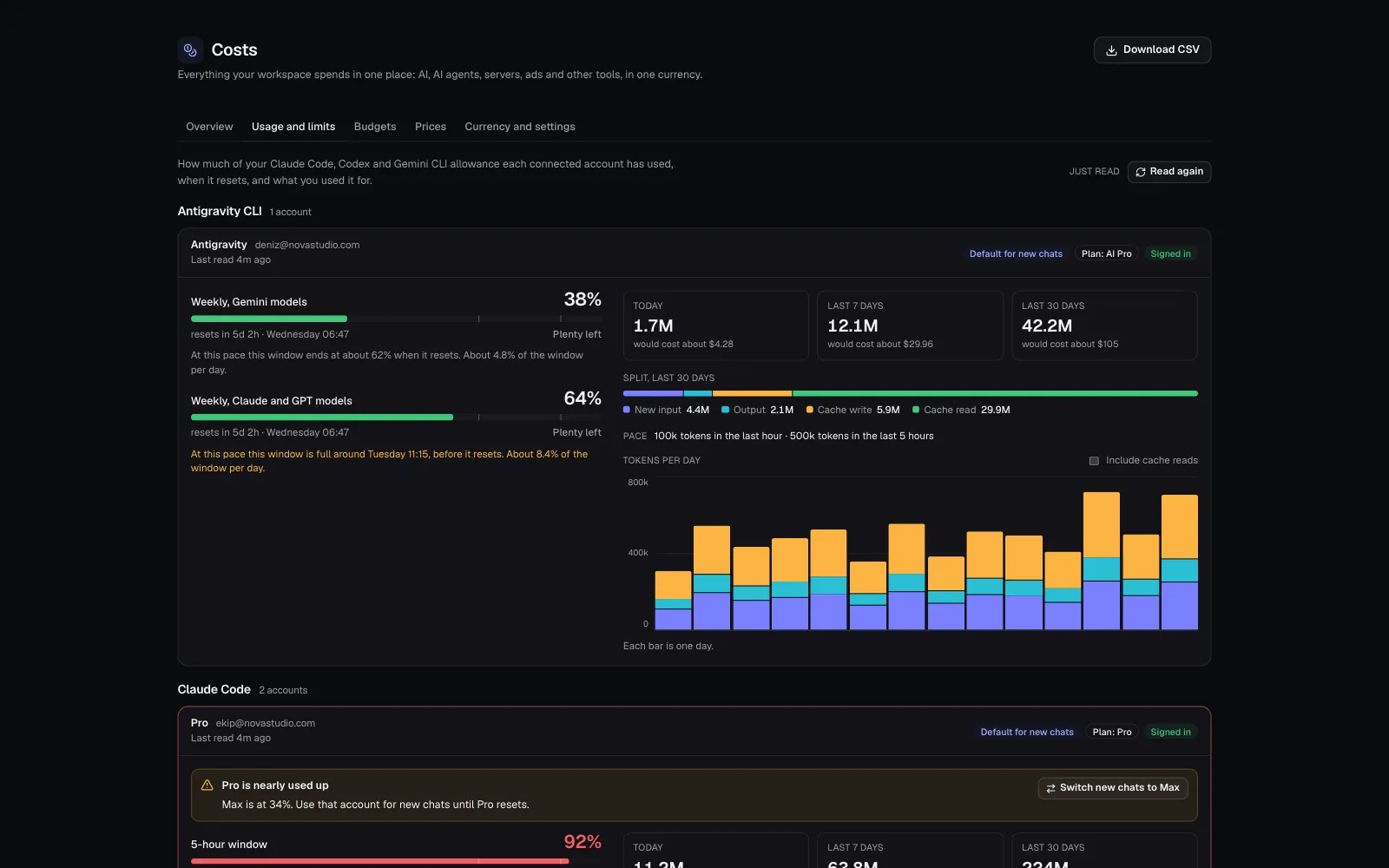
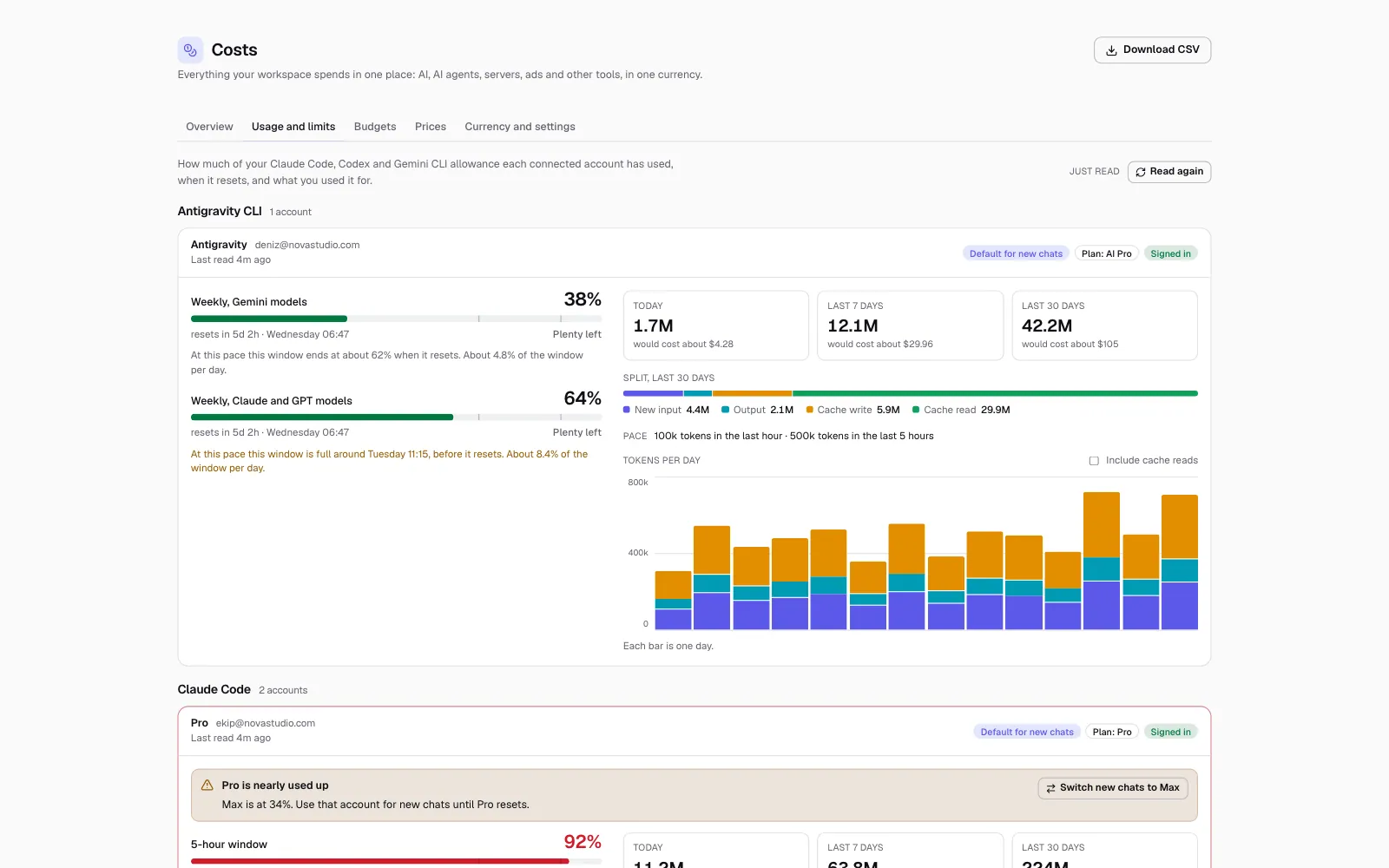
Your Claude, Codex and Antigravity allowances on one screen; switch accounts when one runs out.
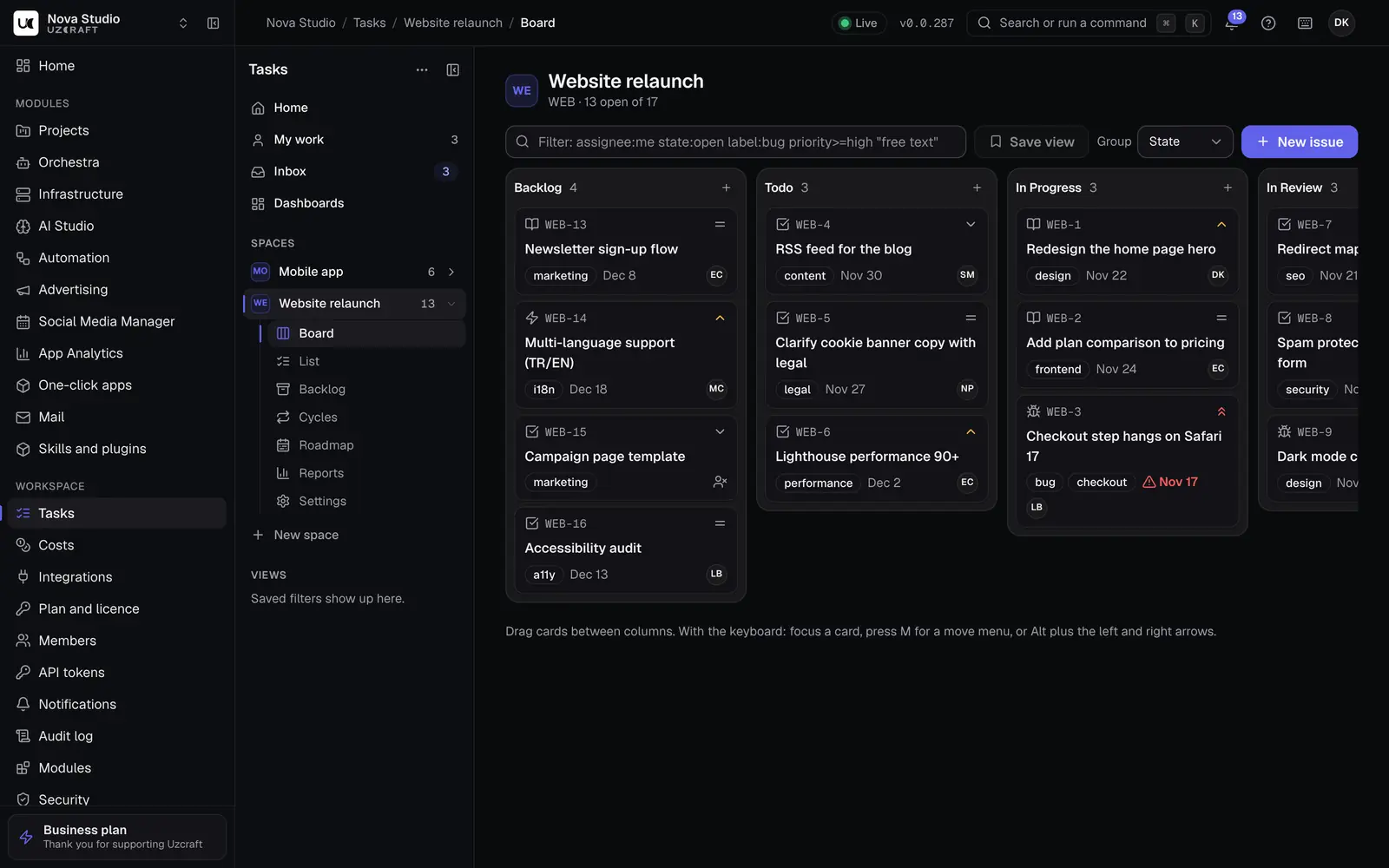
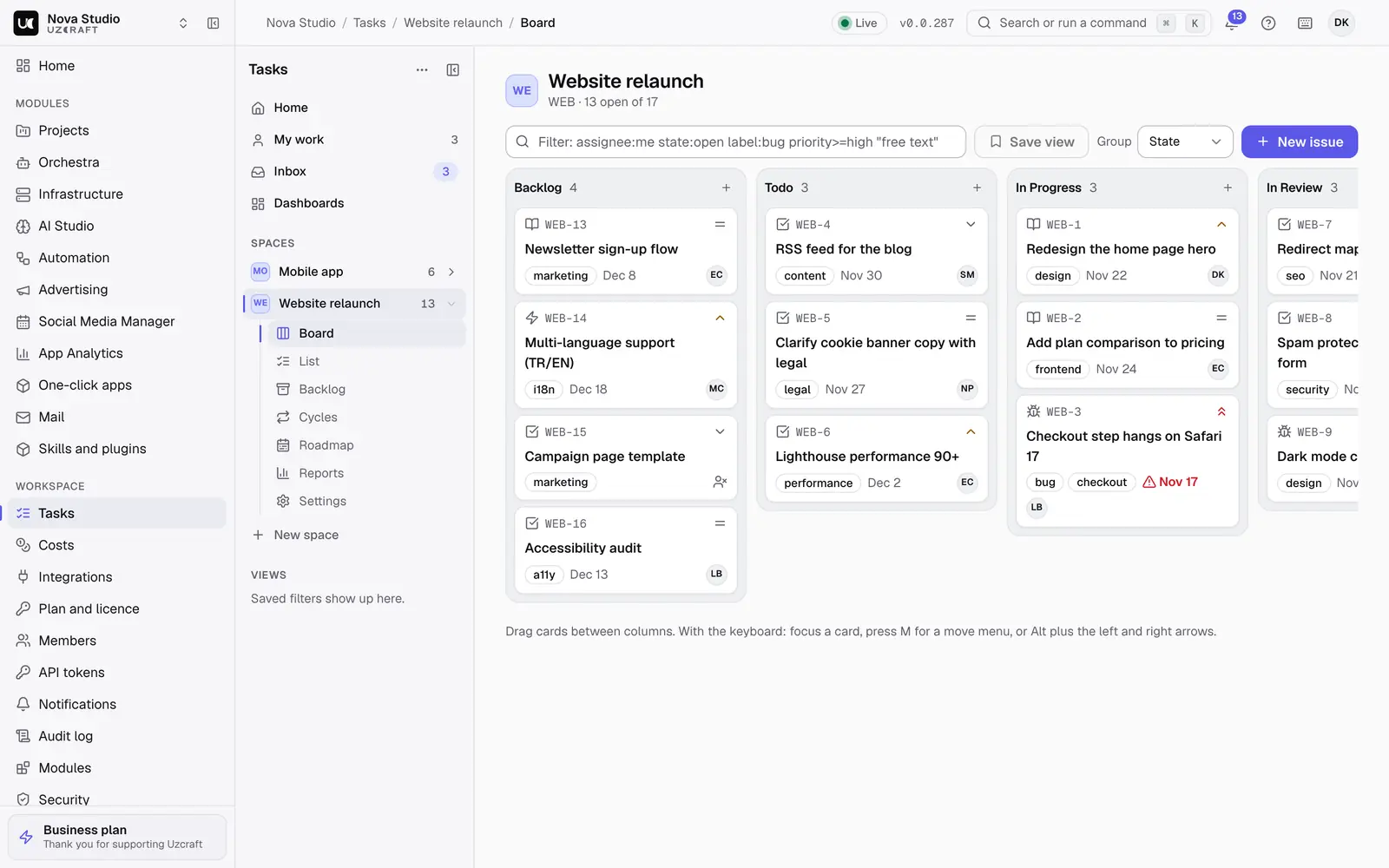
Team and agents on one task list: states, labels, priorities.
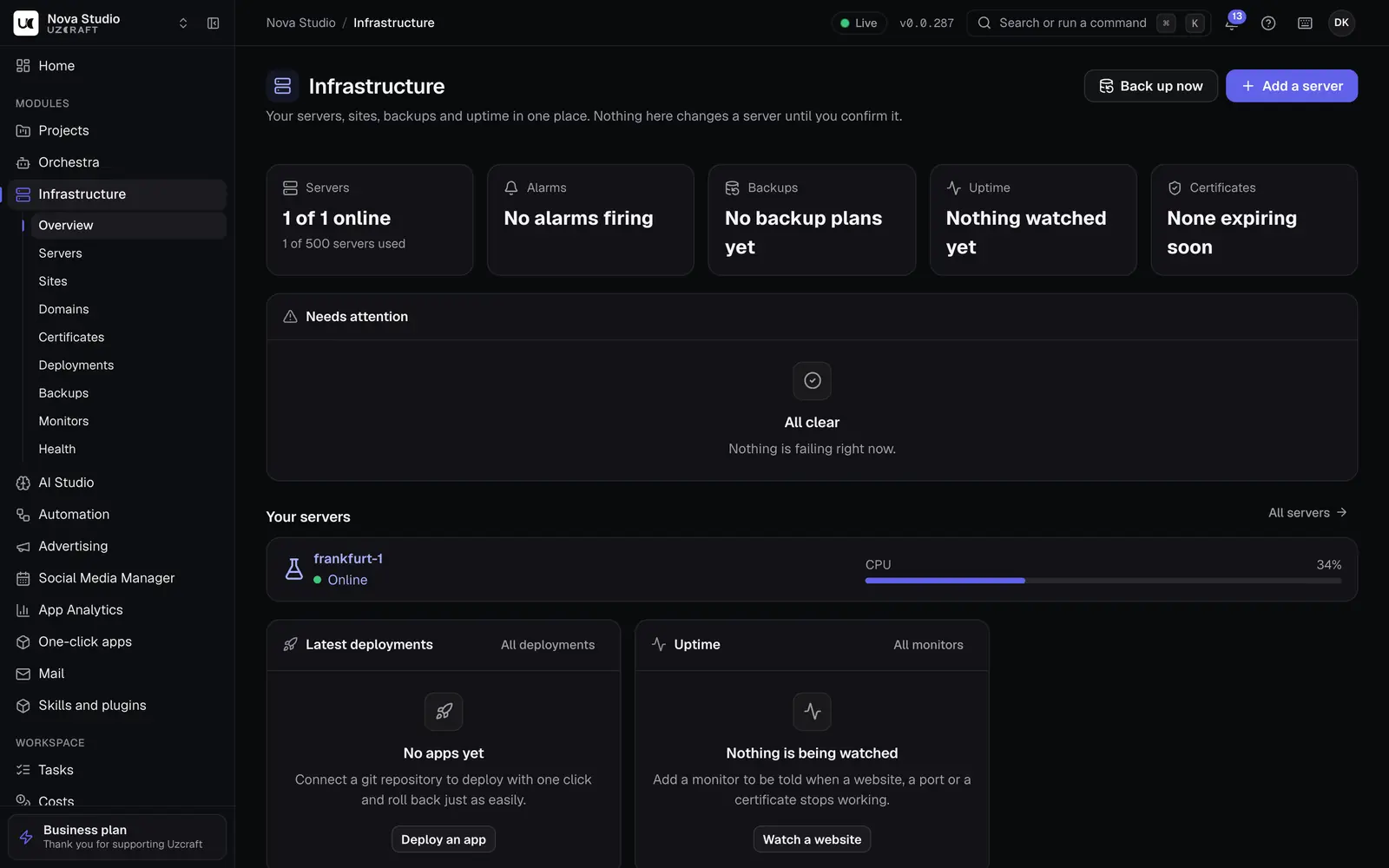
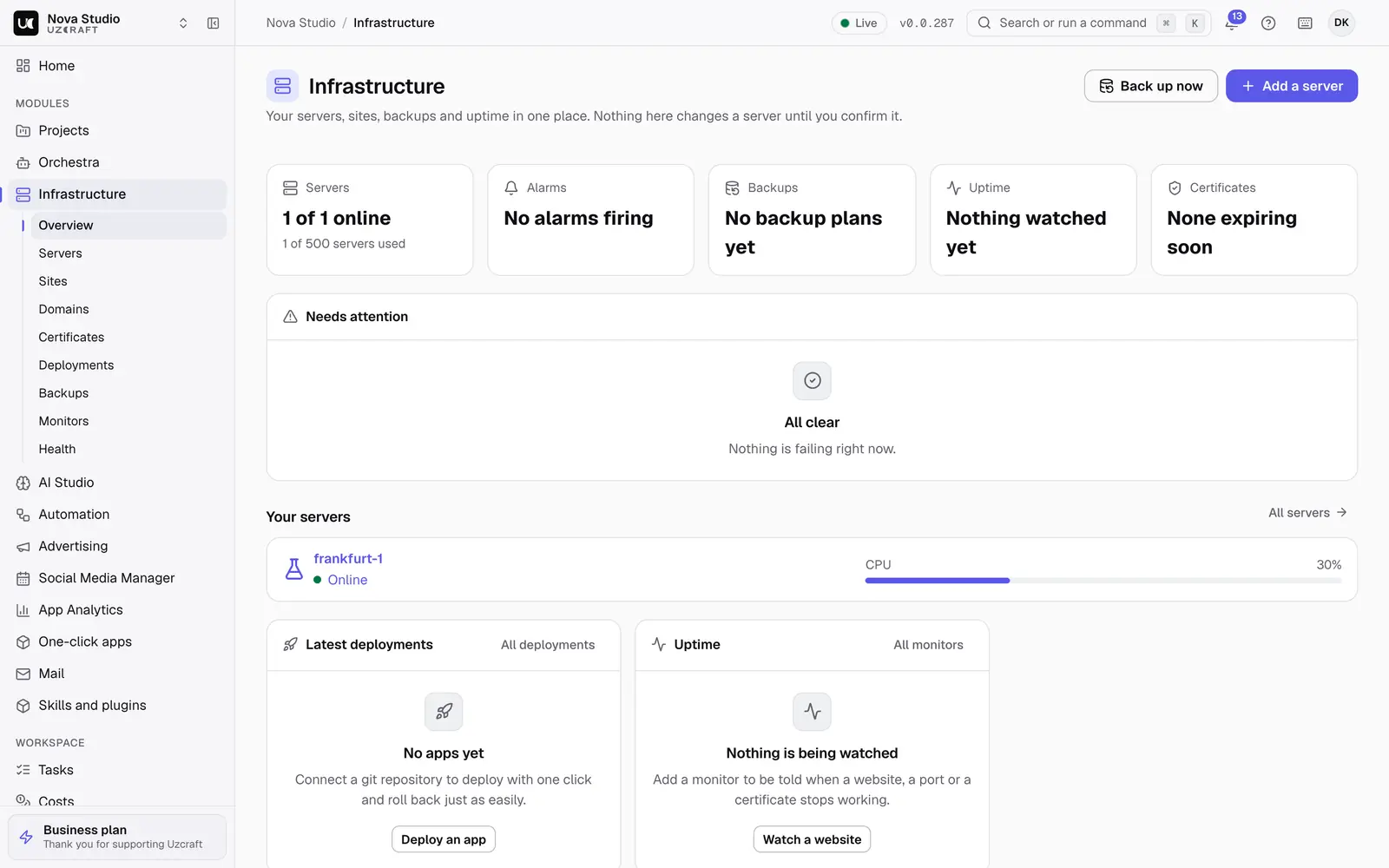
Servers, alerts, backups and certificates at a glance.
Up close
Every area in depth
Uzcraft room
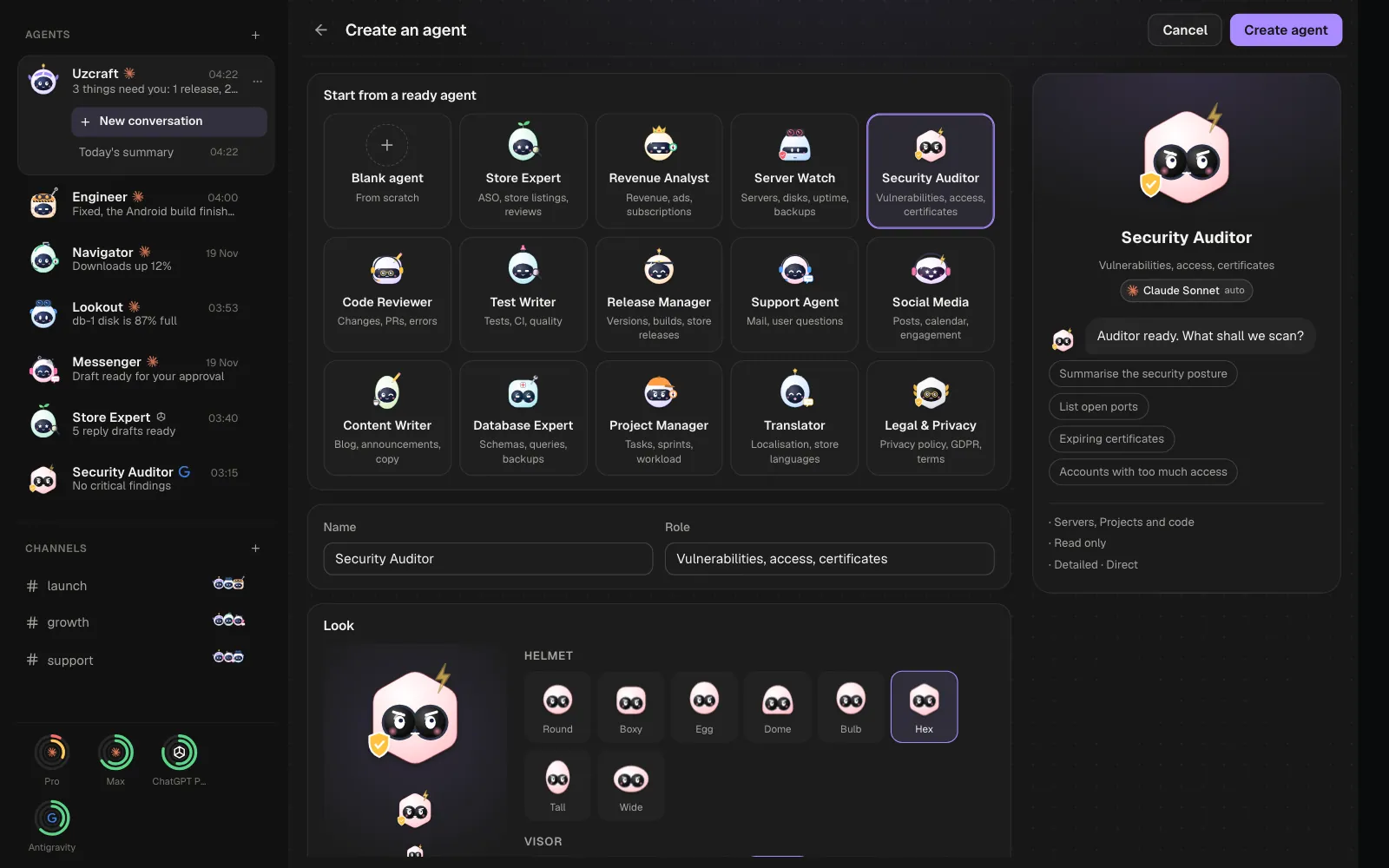
Agents that work like a team
Uzcraft, Kepler, Argus, Polaris and Iris come built in; add as many agents as you like. In a channel the lead answers and hands parts over to the others with an @mention. Answers stream in while they are written, and you can keep writing meanwhile.
- Channels, routing, @mentions and agent-to-agent hand-offs
- Tables, charts and KPI tiles right in the chat
- An agent opens a page and shows what it saw with a screenshot
- Eight chat themes: wallpaper, bubbles, density
Agent builder
Design your own astronaut
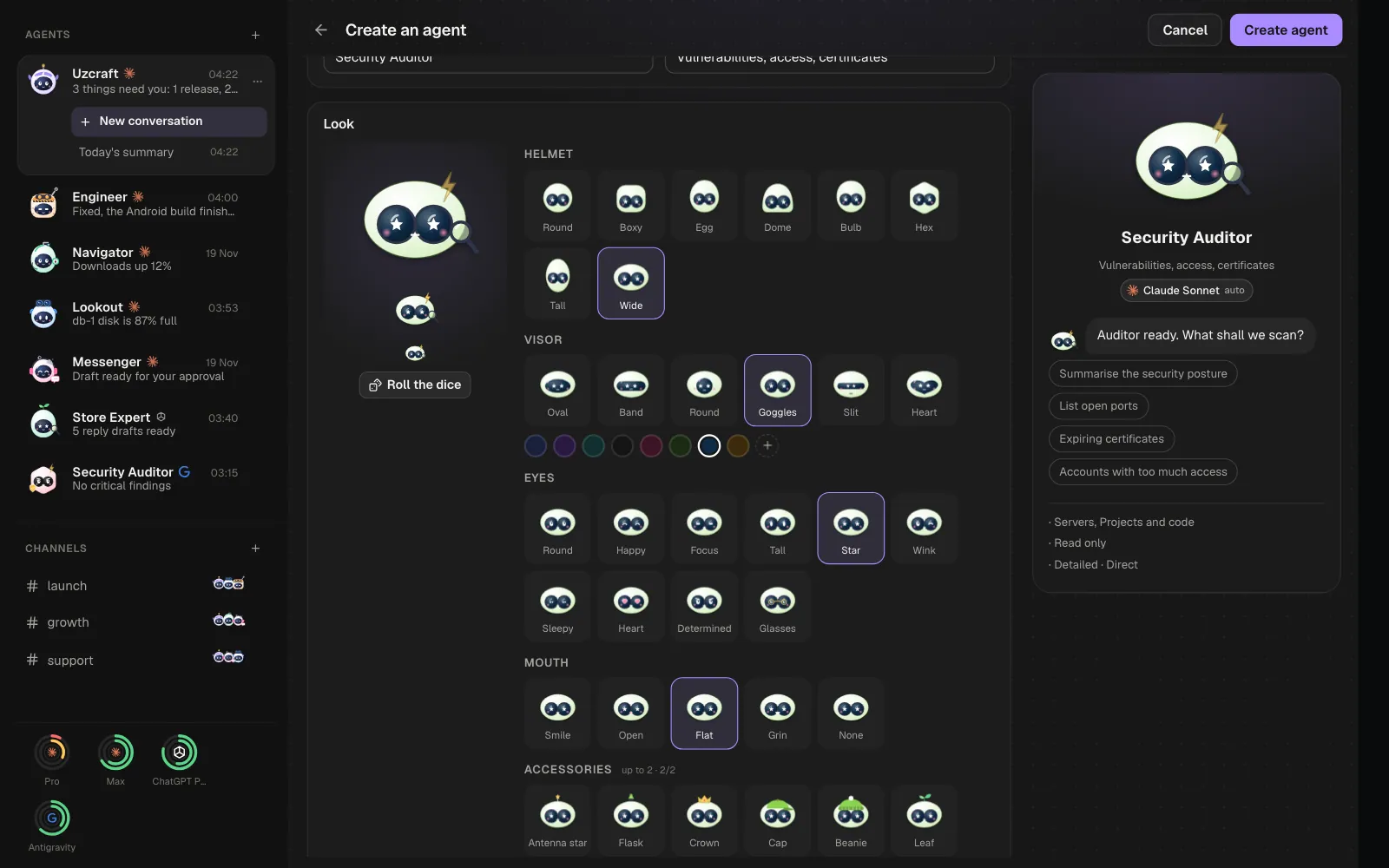
Start from one of 14 templates or from scratch. Pick a helmet, visor, eyes, mouth and accessories; if you cannot decide, roll the dice. Each agent runs on its own model: Claude, Codex, Gemini/Antigravity or your own API key.
- 14 templates: Store Expert, Security Auditor, Translator and more
- A model and an account per agent
- Scopes: which modules, read-only or write
Project workspace
Every project in one layout
One top bar and a grouped sidebar: Work, Ship, Data, Watch. Badges are live; open errors, a waiting agent and unsaved changes at a glance. Every project page uses the same template, with Needs attention rows on top.
- Live badges, pins and keyboard shortcuts
- One main action and Needs attention rows on every page
- Dev box, memory and capacity in the sidebar
Usage and limits
See your allowance before it runs out
The 5-hour and weekly allowances of your Claude Code, Codex and Antigravity accounts, and Antigravity's weekly quota per model group, on one screen. When an account is nearly used up Uzcraft suggests another; new chats continue there.
- Percent, reset time and forecast per window
- Antigravity weekly quotas: Gemini, Claude and GPT
- Failover between accounts when one runs out
Managed browser
See what the agent sees
Every project has its own Chromium; agents browse, test and take screenshots with it. Watch it in the live view and take over when you want; it stops by itself when idle. For errors, Sentry connects in one click.
- Live view, tabs and take-over
- Managed screenshots land in the chat
- Sentry in one click: errors, stacks, the suspect change
Mobile stores
Every step to the store, in the panel
Install a test APK on your phone, upload to Google Play tracks, send iOS to TestFlight. Store page, privacy forms and the new-app checklist in one place.
- Signed AAB, tracks and staged rollout
- iOS and Mac with EAS or your own Mac
- A privacy wizard and a Chrome extension that fills forms
- Faster Android builds, push notifications (OneSignal, FCM, Expo)
Revenue and growth
Downloads and earnings together
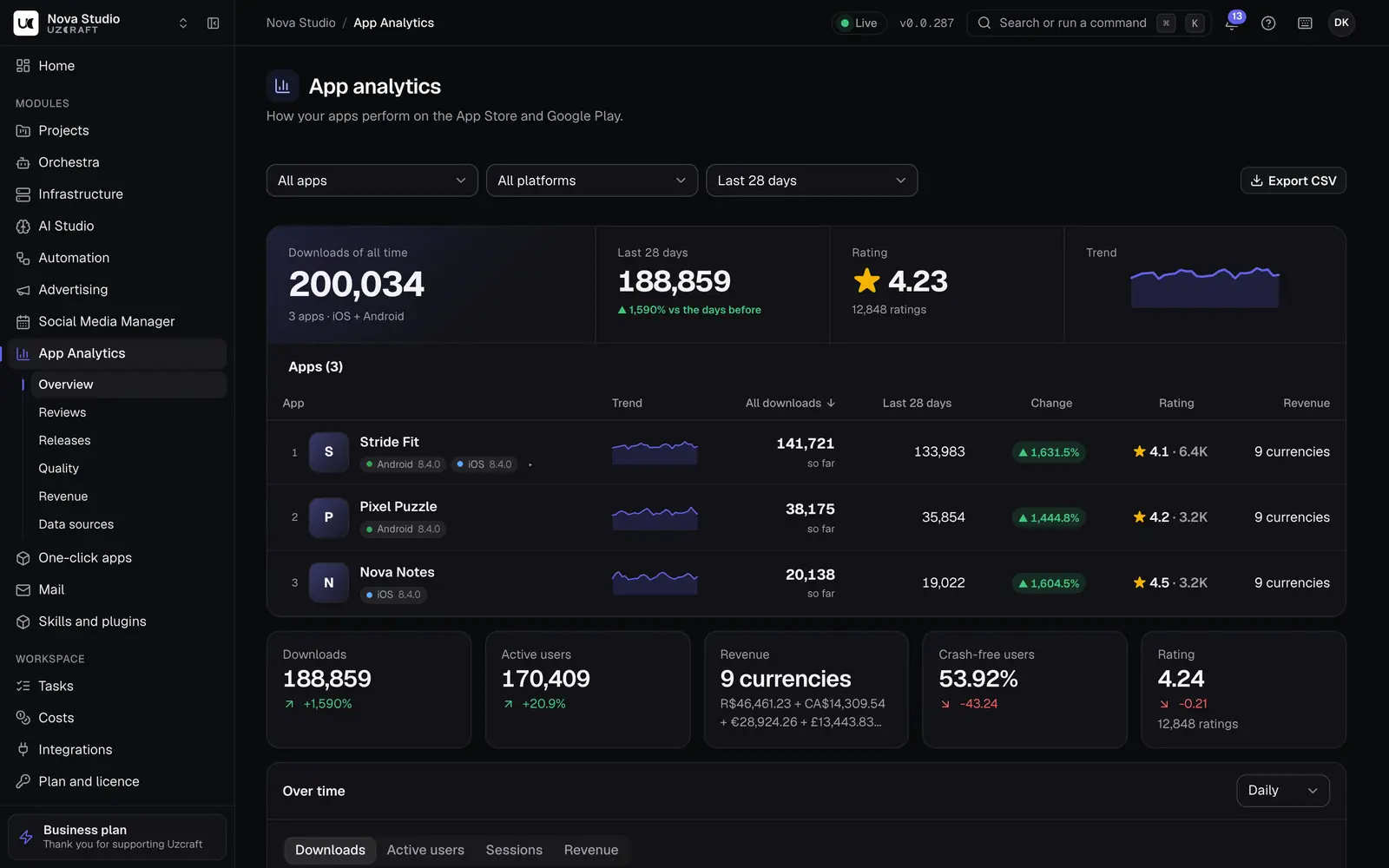
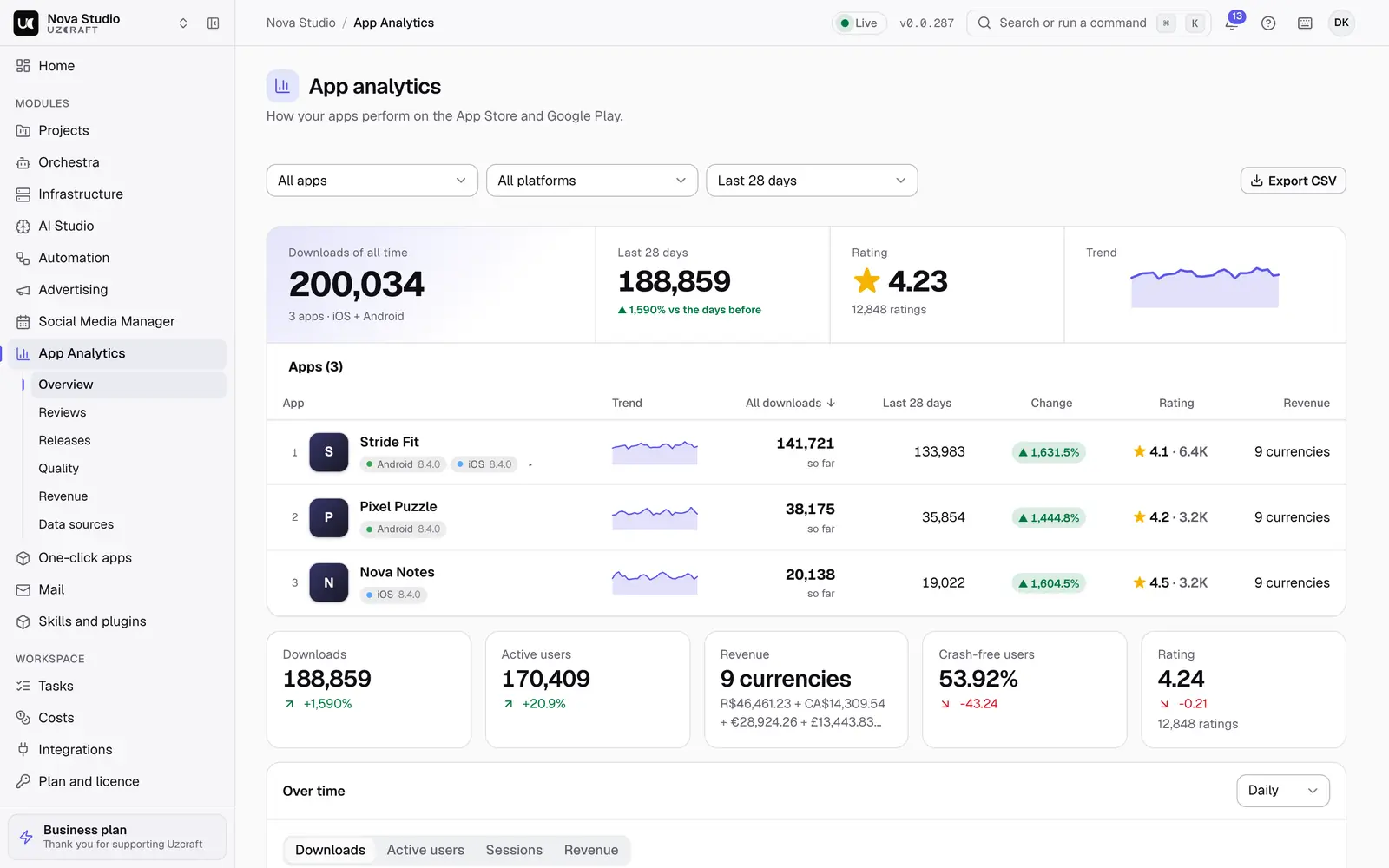
App Store and Google Play statistics, reviews and versions; with AdMob, AdSense and RevenueCat revenue in one panel.
- All-time downloads, countries, versions
- Reviews and ratings, reply state
- Ad and subscription revenue vs the previous period
Self-hosted
Your data stays on your server
Uzcraft installs on your Linux server with one command. Your code, keys and customer data go nowhere else.
- Encrypted secretsServer keys, API keys and signing files are stored encrypted with AES-256-GCM.
- Roles and permissionsRole based access, custom roles, time-boxed grants; writing to production always needs an explicit confirm.
- Audit logEvery sensitive action is recorded with who, what and when.
- Your own accountsYou connect your AI, store and ad accounts yourself; no middleman.
How it works
Start in three steps
Get access
Request early access; we give you an access key and help with the setup. Uzcraft installs on your own server; HTTPS and nightly backups set themselves up.
Connect
Import your project or start from a template; connect your AI account and your server.
Ship
Build with the agent, check the preview, publish to your server or the stores.
Try it free for 14 days
Create an account, verify your email and your 14 day trial licence is ready. Uzcraft runs on your own server; after installing, you activate it with your Uzcraft account on first start. All you need is a Linux server running Docker (2 GB RAM, 10 GB disk). Prefer a walkthrough? We can do a demo too.
Frequently asked questions
Where do I run Uzcraft?
On your own Linux server (a VPS is enough). It runs in Docker, gets its HTTPS certificate by itself, backs up every night and restarts itself when it crashes.
How do I get access?
Uzcraft is in early access. Write to hello@uzcraft.com; we give you an access key and help with the setup, or walk you through a demo first.
What do the AI agents need?
Your Claude, ChatGPT (Codex), Gemini or Antigravity subscription or an API key. The accounts are yours and each agent gets its own model. The Usage and limits page shows how much allowance every account has left; when one runs out you switch to another.
What is the Uzcraft room?
The place your agents meet. Uzcraft, Kepler, Argus, Polaris and Iris come built in; with the agent builder you add your own from 14 templates or from scratch. In channels the lead answers and hands parts over with an @mention; answers stream live, tables and charts show up in the chat.
Can it really ship mobile apps to the stores?
Yes. It builds signed AABs and uploads them to Google Play tracks; for iOS it builds in Expo's cloud or on your Mac and sends it to TestFlight and review. Store rules require a few one-time manual steps (like creating the app the first time); the panel walks you through them.
Where is my data kept?
On your server. Secrets are stored encrypted; no Uzcraft feature depends on our servers.
Can we use it as a team?
Yes. Members, roles, per-project permissions, live presence and tasks.
Can I manage it from my phone?
Yes. The Android app puts agents, releases, alerts, analytics and notifications in your pocket.
Ship your next product with Uzcraft
Sign up, install on your own server, connect your project, start with your agent. The rest is one panel.